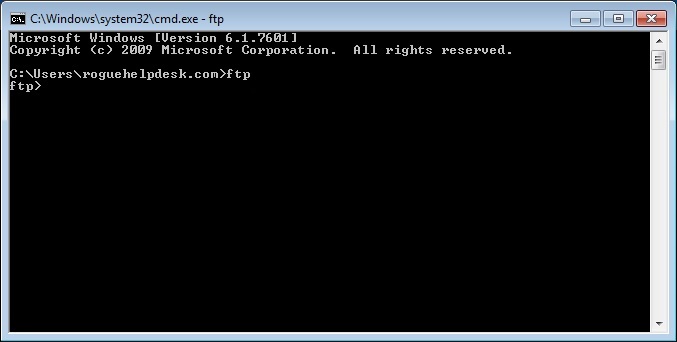
Even though there are several ways to accomplish sending files to an FTP site via scripted DOS commands, we at roguehelpdesk.com generally recommend going with an official how-to from the source which is Microsoft in this case. Microsoft recommends using 2 files. The first one is a text file that holds the FTP information and the other is the DOS/BATCH script that runs the FTP command. So once you run your FTP script, it will run the FTP command and process the FTP information file “test.src”.
EXAMPLE from http://support.microsoft.com/kb/96269
1st file = test.scr
open 11.11.11.11
username
password
put file1
quit
2nd file = sendftp.bat (you can name it whatever you want)
ftp -s:test.scr
Here’s another way to accomplish this with only one file. The only caveat is that the FTP information, including the username and password are within that one DOS/batch script.
@ECHO OFF
REM Generate FTP info for temp.txt
echo open ftp.domain.com> temp.txt
echo username>> temp.txt
echo password>> temp.txt
echo binary>> temp.txt
echo prompt>> temp.txt
echo lcd P:\_FTP\SENT>> temp.txt
echo ls>> temp.txt
echo mput *.*>> temp.txt
echo quit>> temp.txt
REM Launch FTP via DOS and process FTP info from text file
ftp -s:temp.txt
REM Temp file clean up
del temp.txt
Since we’re sending multiple pages, we used the “mput” command. I believe the “m” stands for “multiple”. When using the mput command, we at roguehelpdesk.com recommend using the “prompt” command prior to mput so it doesn’t prompt each time it tries to send/upload a file.
SOME COMMON ERRORS:
“500 PORT/EPRT (Active Mode/Extended Active Mode) is not supported. Use PASV/EPSV instead”
You can try the “passive” or “quote pasv” command but in many cases, this error usually means there is something blocking it like a firewall or antivirus.
REFERENCES/LINKS:
http://support.microsoft.com/kb/96269
13 Responses to “How do I write a DOS script to send files to an FTP site?”
Awesome content you got here!
Good post. I definitely appreciate this site. Keep writing!
If some one needs to be updated with hottest technologies then he must be visit this site and
be up to date every day.
What’s up, just wanted to tell you, I enjoyed this blog post.
It was helpful. Keep on posting!
I am not positive the place you’re getting your information, but
great topic. I must spend a while studying more or figuring out more.
Thanks for wonderful information I was searching for this
info for my mission.
Hi, I do think this is a great site. I stumbledupon it 😉 I’m going to revisit once again since i have saved as a favorite it. Money and freedom is the greatest way to change, may you be rich and continue to help other people.
Fantastic post however I was wanting to know if you could write a
litte more on this subject? I’d be very grateful if you could elaborate
a little bit further. Appreciate it!
Very soon this webpage is going to be famous among all blogging and site-building people, as a result of it’s nice content
Hurrah, that’s things i was searching for,
such a data! existing right here at this blog, thanks admin with
this internet site.
Usually posts some very intriguing stuff like this. If you are new to this site.
It’s very straightforward to find out any matter on web as compared with books, when i found this article at
the web site.
I think this is certainly one of the most vital info for me.
And i am glad reading your article. But want to remark on some general
things, The website style is perfect, the articles is actually great : D.
Good job, cheers
Good day! I simply want to give you a huge thumbs up for your excellent information you have got right here on this post.
I am returning to your blog for more soon.